Develop Linux on TI EVM#
This Academy module focuses on the Linux development that can be performed using a TI Starter Kit and EVM. This module builds on the Evaluating Linux module.
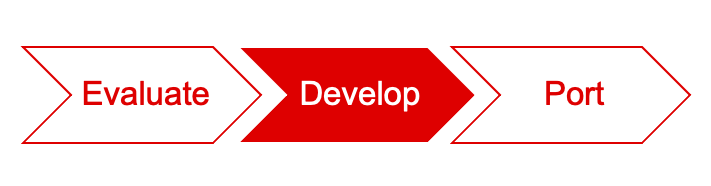
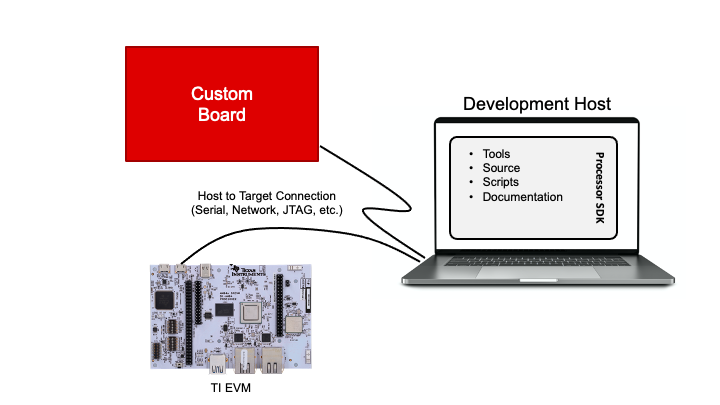
The Linux development environment is similar for all types of hardware. Thus, many software features can be developed on a TI EVM even before the custom hardware board is ready. The differences between the available TI boards and the target system will dictate how much software development can be done without custom hardware.
Some software requires features that are not enabled on TI EVMs. In that case, new custom hardware must be developed before the software can be validated. Once new hardware comes into the picture, the exciting task of porting Linux to a custom platform can begin. The porting process is discussed in module Porting Linux to Custom Hardware.
For example, if the target system uses networking, software above the network interface (eth0, eth1, etc.) can usually be developed on TI boards as most TI boards have network interfaces. This hardware abstraction is one of the benefits of Linux, and allows software development to overlap hardware development to shorten total system design timelines.
The rest of this module describes how to set up a good development environment. This environment will enable users to make changes to the SDK components (U-Boot, Linux, etc.). This environment also enables the development of application code like a simple “Hello World” and beyond.
Texas Instruments
On K3 architecture based devices, the ROM only supports boot via R5. This means that the bootloader has to run on the R5 core. The Linux boot architecture is shown in the below figure. This boot architecture keeps safety in mind, while also allowing for a faster boot time.
Texas Instruments
There are multiple ways (boot modes) to boot Linux on an EVM (from a micro SD card, eMMC, UART, etc.). The boot mode is defined by the boot mode switches on the Starter Kit. The supported boot modes and the corresponding boot mode switch settings can be found in the Starter Kit User Guide.
Texas Instruments
This section documents how to program a full Linux system (system firmware, U-Boot, Kernel, DTB, and filesystem) to OSPI flash from an SD Card. This process includes setting up OSPI MTD partitions, generating a UBI root filesystem (ospi.rootfs), flashing files (u-boot/kernel/dtb/rootfs) to the OSPI flash, and performing a full Linux boot. The full Linux boot uses a UBI root filesystem mounted on OSPI MTD partition. For simplicity we assume the files are loaded from an SD card, but these files can just as easily be loaded via other media that exists.