Allocate peripherals#
Ensure that the remote core and Linux request different peripherals.
For more information about how to allocate peripherals in a multicore processor, refer to section How to allocate peripherals.
If we open the SysConfig settings for the project as discussed at How to open a project’s SysConfig settings, We can see that the debug console is requesting the UART0 instance:
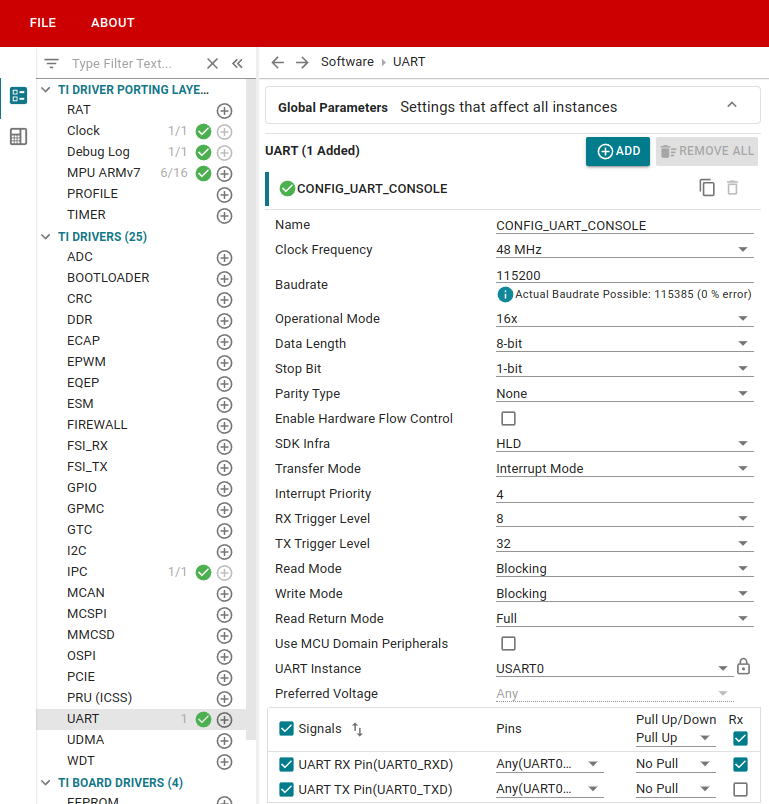
However, when we check the Linux devicetree file, we can see that Linux is also requesting main_uart0!
ti-linux-kernel/arch/arm64/boot/dts/ti$ grep -r --include=k3-am64* main_uart0
k3-am64-main.dtsi:      main_uart0: serial@2800000 {
k3-am642-evm.dts:       main_uart0_pins_default: main-uart0-pins-default {
k3-am642-evm.dts:&main_uart0 {
k3-am642-evm.dts:       pinctrl-0 = <&main_uart0_pins_default>;
k3-am64.dtsi:           serial2 = &main_uart0;
k3-am642-sk.dts:        main_uart0_pins_default: main-uart0-pins-default {
k3-am642-sk.dts:&main_uart0 {
k3-am642-sk.dts:        pinctrl-0 = <&main_uart0_pins_default>;


&main_uart0 {
    status = "okay";
    pinctrl-names = "default";
    pinctrl-0 = <&main_uart0_pins_default>;
};
This peripheral conflict will cause issues if it is not addressed.
Option 1: Leave the peripheral conflict. We will fix it in the debug section#
If you want some practice debugging errors, do NOT change anything. You will learn how to debug the errors that are generated in section Debug the remote core alongside Linux.
Option 2: Fix the peripheral conflict#
If you were not following a training page, you would want to fix a resource conflict as soon as you found it. You would need to disable the peripheral allocation in either the Linux devicetree file, or the MCU+ project’s SysConfig settings.
Here is one potential way to resolve the UART conflict:
Let’s disable the UART in the hello_world project, since we will be using the Linux trace log to see the hello_world output.
Open SysConfig for the project. We can see that there is in fact a UART0 instance that was created for the debug console:
Go to the TI DRIVER PORTING LAYER > Debug Log section. Uncheck the “Enable UART Log” box. You will see the UART instance disappear from the TI DRIVERS > UART section.
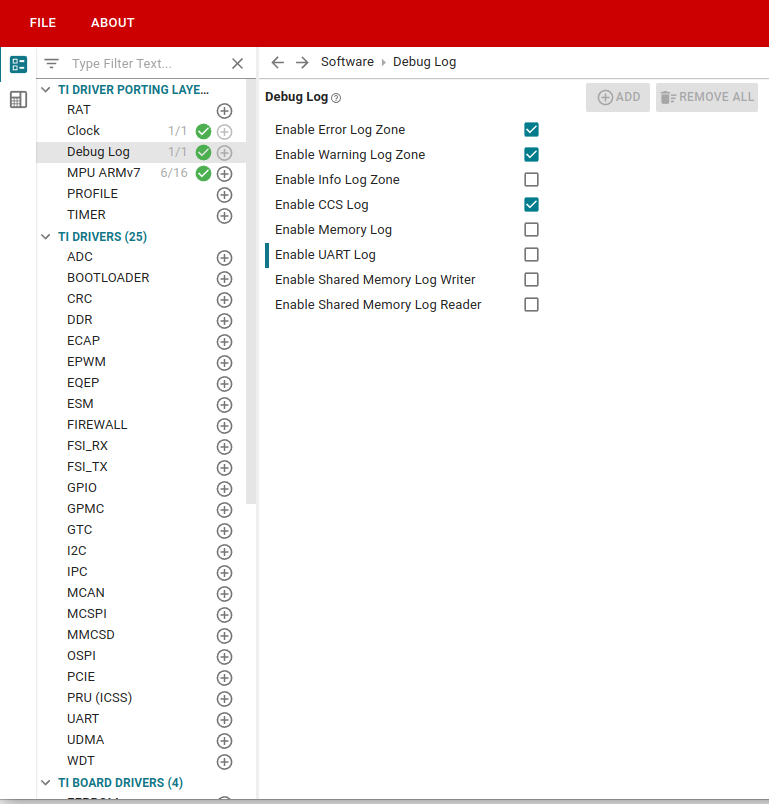
Save the SysConfig changes. One final time, rebuild the MCU+ project, put the new project .out file into the Linux filesystem, and reload the project.