Update the linker.cmd file#
A memory allocation for the resource table must be added to the remote core’s linker.cmd file.
The linker.cmd file must also be updated to place the resource table in DDR at the beginning of the “external code / data memory” section that the Linux devicetree file passes in to the RemoteProc driver. For more information about Linux memory allocations, refer to section Allocating memory in Linux.
First, open the SysConfig settings for the project as described at How to open a project’s SysConfig settings.
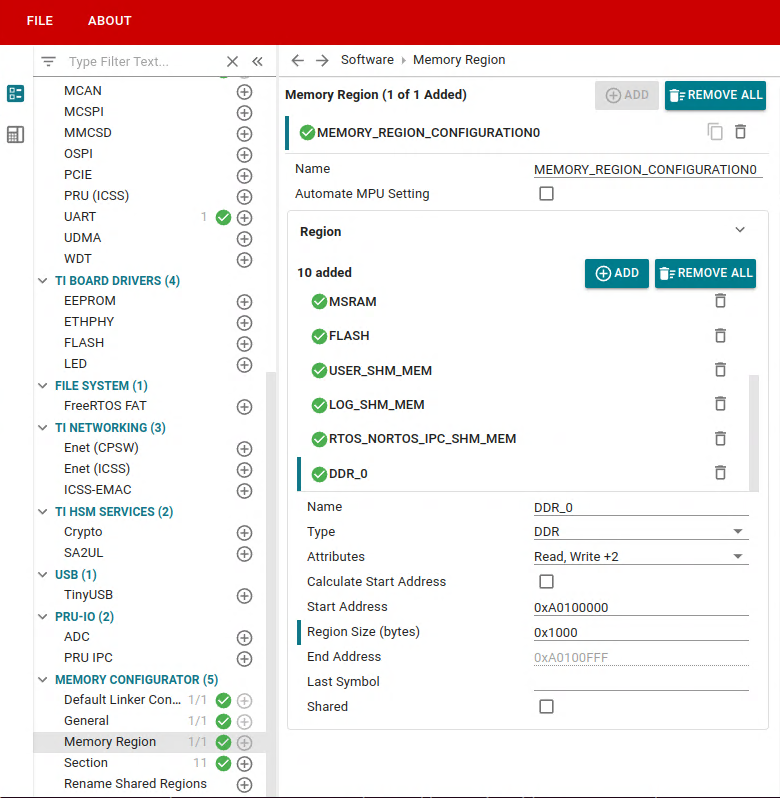
Now, allocate a memory region for the resource table. Go to MEMORY CONFIGURATOR > Memory Region > Region
Add a new DDR region, “DDR_0”, as shown in the image.
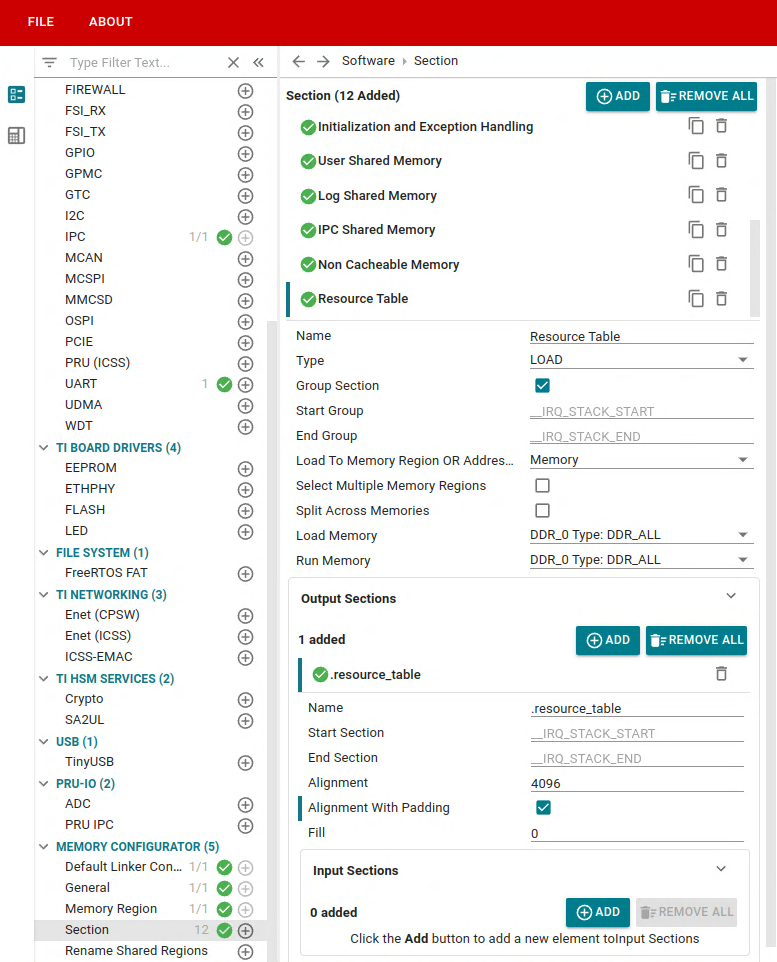
Next, place the resource table inside that memory region. Go to MEMORY CONFIGURATOR > Section
Add the Resource Table as shown in the image. Make sure to add “Resource Table” as a new Section, and .resource_table as a new Output Section.
Save the SysConfig setting changes by selecting FILE > save.
The SysConfig file at <path_to_project>/board/<remote_core>/example.sysconfig should look something like this: